
In today’s fast-paced digital world, cloud storage has become the backbone of personal and professional data management. Whether you’re backing up photos, collaborating on documents, or managing enterprise-level files, the cloud offers flexibility and scalability like never before.
But what happens when you need to switch providers, consolidate multiple accounts, or upgrade your storage setup? That’s where cloud migration comes in. This guide will show you how to move your files quickly, securely, and without the headaches, especially when using smart tools like Air Explorer and Air Cluster.

What is cloud migration?
Cloud migration refers to the process of transferring data from one cloud service to another, or from local storage to the cloud. It’s a critical step for users and businesses looking to streamline their digital workflows.
Types of cloud migration:
- Cloud-to-cloud: Moving files between services like Google Drive and OneDrive.
- Local-to-cloud: Uploading files from your computer to a cloud provider.
- Hybrid setups: Combining local and cloud storage for flexible access.
Use cases:
- Personal file management across multiple accounts
- Business transitions to more scalable cloud platforms
- Remote teams optimizing access and collaboration
Why cloud migration matters
Migrating your cloud data isn’t just about convenience, it’s about control and efficiency.
- Avoid vendor lock-in: Easily switch providers without losing access to your files.
- Optimize costs and performance: Choose services that offer better pricing or faster speeds.
- Improve collaboration: Centralize files for easier sharing and teamwork.
- Ensure continuity: Keep your data safe during upgrades or account changes.
Tools for cloud migration: Built-in vs Third-party
Limitations of native cloud tools
While most cloud services offer basic transfer options, they often fall short when it comes to speed and flexibility:
- Manual downloads/uploads are slow and tedious
- No automation or scheduling features
- Limited to one platform at a time
- No encryption or advanced sync capabilities
Advantages of third-party tools
Third-party tools are designed to make cloud migration seamless:
- Faster transfers with parallel uploads
- Unified interface to manage multiple cloud accounts
- Advanced features like encryption, sync, scheduling, and file filtering
- Better control over folder structure, metadata, and permissions
Spotlight on Air Explorer and Air Cluster
Air Explorer
Air Explorer is a powerful multi-cloud file manager that simplifies cloud migration with a user-friendly drag-and-drop interface. It supports:
- Google Drive, OneDrive, Dropbox, MEGA, Box, TeraBox, PikPak, and more
- Encrypted uploads for secure transfers
- Folder sync and scheduled migrations for automation
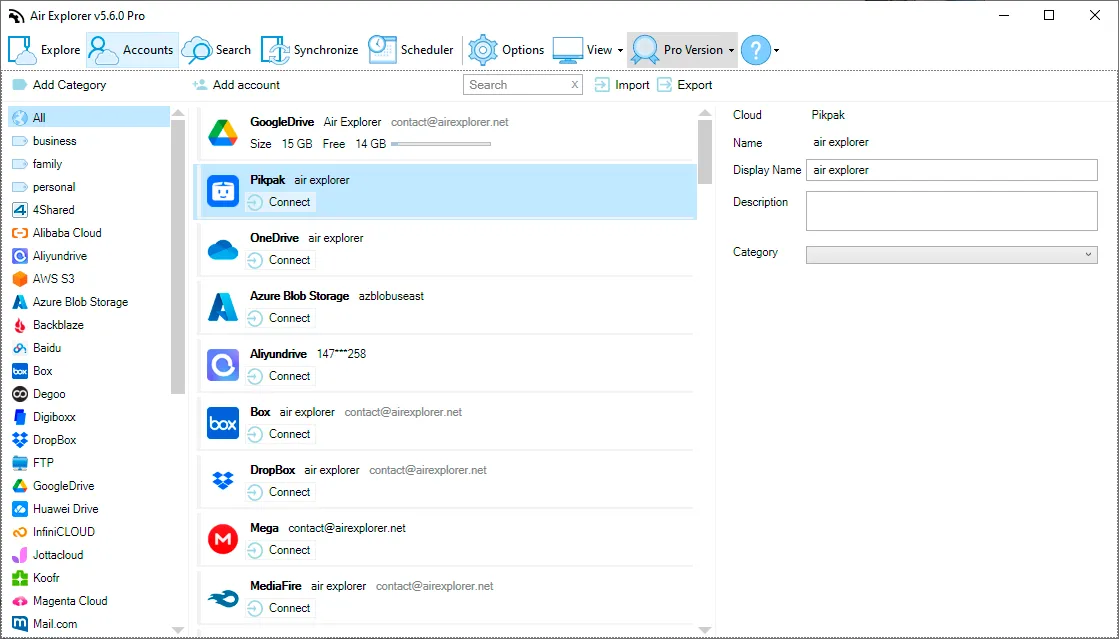
Perfect for users who want full control over their cloud files without switching between apps.
Air Cluster
Air Cluster takes it a step further by combining multiple cloud accounts into one virtual cluster. Ideal for users with fragmented storage across platforms, it offers:
- Supports Google Drive, OneDrive, Dropbox, MEGA, Box, TeraBox, PikPak, and more
- Automatic balancing of storage space
- Unified search across all connected accounts
- Seamless migration between services
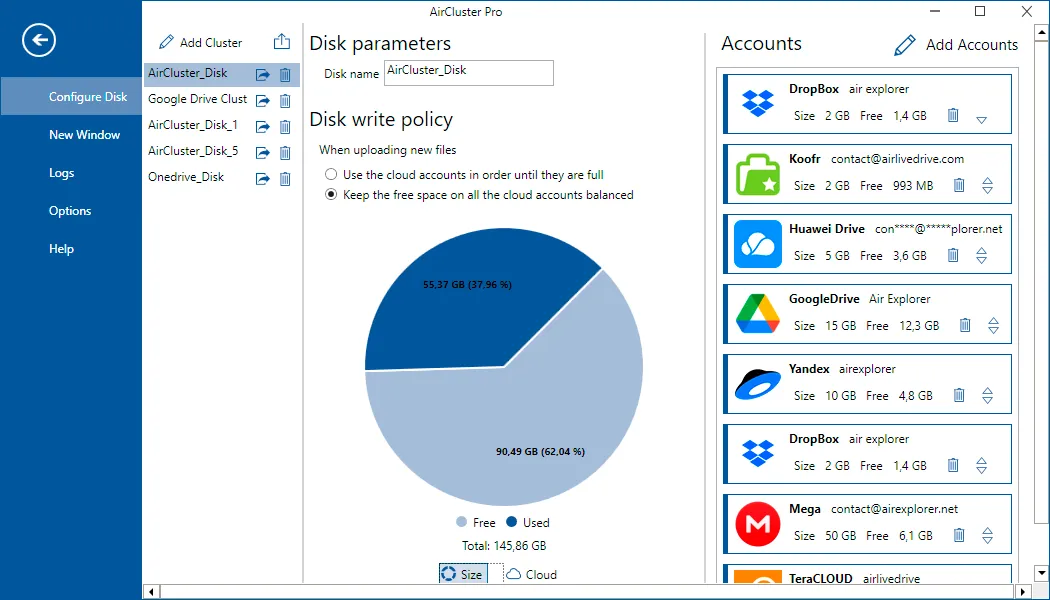
It’s like having one giant cloud drive, without the limitations.
How to migrate files in minutes (Step-by-Step)
-
Install Air Explorer or Air Cluster
Download from the official website and install on your device. -
Connect your cloud accounts securely
Add your credentials for Google Drive, Dropbox, OneDrive, etc. -
Select source and destination folders
Choose where your files are and where you want them to go. -
Choose sync
Decide between mirror, mirror updated, updated, bidirectional and customized depending on your needs. -
Start migration and monitor progress
Let the tool do the work while you track the transfer in real time.
Conclusion
Cloud migration doesn’t have to be complex or slow. With the right tools, you can move your files in minutes, securely and efficiently. Third-party programs like Air Explorer and Air Cluster offer the speed, control, and flexibility that native tools simply can’t match.
Take control of your data. Whether you’re upgrading, consolidating, or switching providers, effortless cloud migration is just a few clicks away.