
If your Mega, OneDrive, Dropbox, or other cloud account is nearly full, choosing another cloud management tool may not solve the real problem. Before transferring files elsewhere, you need to know what is consuming your storage.
That is the key difference in the Air Cloud Analyzer vs. MultCloud comparison. MultCloud is primarily a web-based service for transferring, syncing, and backing up files between cloud platforms. Air Cloud Analyzer is a desktop cloud storage analyzer that helps you understand your data before you decide what to keep, archive, move, or delete.
Short answer: choose MultCloud when your main goal is cloud-to-cloud transfer or synchronization. Choose Air Cloud Analyzer when you want to visualize storage usage, find large and old files, search across accounts, and detect duplicate files.
What is Air Cloud Analyzer?
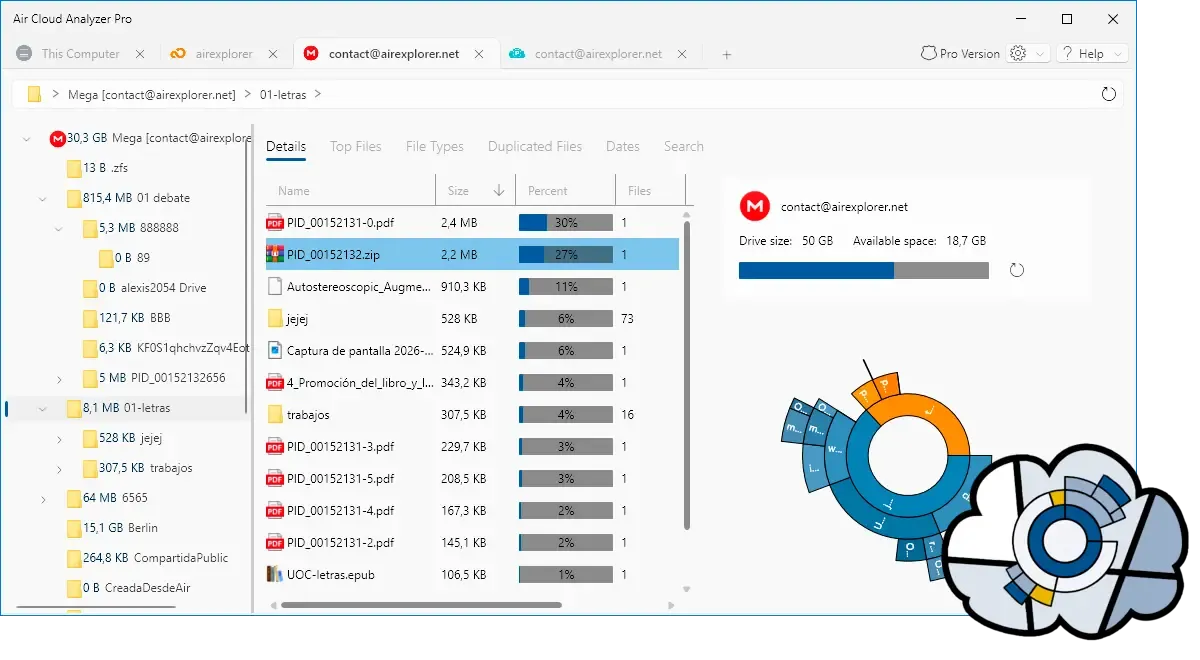
Air Cloud Analyzer is a desktop application for Windows and Mac that analyzes cloud accounts and local drives. It reads file metadata, such as names, sizes, types, locations, and dates, without downloading the files themselves.
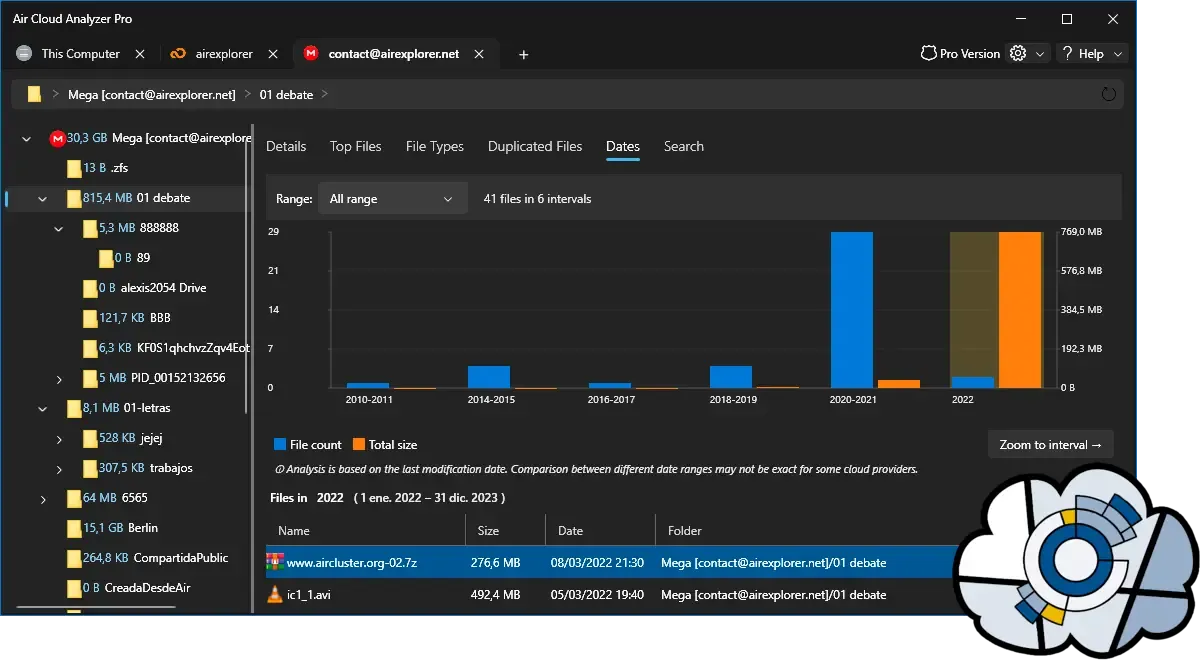
Its visual dashboard turns thousands of folders and files into useful answers. Interactive charts reveal where storage is concentrated, while dedicated tools show your largest files, break down usage by file type or date, search across connected locations, and identify duplicates.
What is MultCloud?
MultCloud is a browser-based multiple-cloud manager. Its main features include cloud-to-cloud transfers, synchronization, cloud backup, scheduled tasks, and a Cloud Explorer. Its server-side tasks can continue when your computer is turned off.
MultCloud is useful when you know which data must move and where it should go. It can migrate folders between providers, synchronize cloud folders, or create a backup in another cloud.
Air Cloud Analyzer vs. MultCloud: feature comparison
| Feature | Air Cloud Analyzer | MultCloud |
|---|---|---|
| Primary purpose | Analyze and clean up storage | Transfer, sync, and back up cloud data |
| Platform | Desktop app for Windows and Mac | Web-based service |
| Visual storage charts | Yes, including interactive folder views | Not its primary workflow |
| Find largest files | Dedicated largest-files analysis | File browsing and search |
| Analyze by type and date | Dedicated visual views and filters | Transfer filters and file management |
| Duplicate finder | Yes, across analyzed storage | Not a core analysis feature |
| Global file search | Across connected clouds and local drives | Search across connected cloud services |
| Analyze local drives | Yes | Focused on connected cloud services |
| Cloud-to-cloud transfer | No | Yes |
| Cloud sync and backup | No | Yes |
| How it handles analysis | Reads metadata locally on your computer | Cloud management tasks use a web platform |
| Best for | Understanding usage and planning cleanup | Moving or replicating known files |
Which tool is better for freeing up cloud storage?
Air Cloud Analyzer is the more direct choice for freeing up cloud storage because it helps you find the files causing the problem. A transfer tool can move data, but first you must decide what deserves to be moved.
Air Cloud Analyzer can surface oversized videos, forgotten backups, old projects, repeated downloads, and duplicate files. Instead of browsing each cloud folder by folder, you get one view of the clutter. This can reveal that a few unnecessary files account for much of your usage.
Which tool offers more privacy for storage analysis?
Air Cloud Analyzer analyzes metadata on your Windows or Mac and does not upload file data to its servers or store your passwords. MultCloud uses a server-side model so online transfer tasks can continue. Users seeking local desktop analysis may prefer Air Cloud Analyzer.
Can Air Cloud Analyzer and MultCloud work together?
Yes. Analyze your accounts with Air Cloud Analyzer, decide what to delete or relocate, and then use MultCloud if selected data must move between clouds. This avoids transferring clutter along with useful files.
Frequently asked questions
Is Air Cloud Analyzer a MultCloud alternative?
It is an alternative for analyzing and cleaning cloud storage, but not for cloud-to-cloud transfer. It specializes in visual analysis, global search, and duplicate detection.
Does Air Cloud Analyzer download my cloud files?
No. It reads file metadata for analysis rather than downloading the actual content, which saves bandwidth and local disk space.
Can Air Cloud Analyzer find duplicate files?
Yes. Its Duplicate Finder identifies repeated files across the storage locations you analyze.
Is Air Cloud Analyzer available for Mac?
Yes. Air Cloud Analyzer is available for both Windows and Mac.
Final verdict: understand your cloud before you move it
Choose MultCloud if your immediate requirement is to transfer, synchronize, or back up files between cloud providers. Choose Air Cloud Analyzer if you want a clear answer to what is filling your accounts and where cleanup will make the biggest difference.
Before upgrading your plan or moving large amounts of data, analyze what you have. Try Air Cloud Analyzer for Windows or Mac and make an overcrowded cloud understandable.